
Explainer video guide
 Larry Mutenda
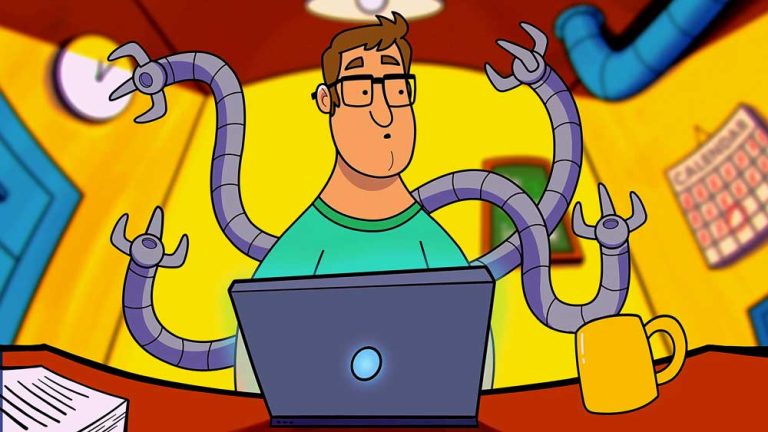
An explainer video is an animated or live action video that makes a product, service, or topic easier to understand. Most run between 30 and 90 seconds and combine a written script, voiceover, and visuals, whether that’s animation, live footage, motion graphics, or a mix.
Businesses use them on landing pages, in sales decks, and in onboarding flows because they compress information that would otherwise take paragraphs of text or a long demo call. A good explainer video answers one question clearly: what does this do, and why does it matter to me?
Explainer videos turn complex products and ideas into clear, compelling videos that help customers understand your value and take the next step. Educate your audience on complex topics, making them easy to understand.
If you’re exploring explainer videos for your business, you probably have a few questions about where to start. I’ve put these guides together to share what I’ve learned producing explainer videos and help you understand your options, from choosing a style to planning your script and budget.

The Explainer Videos website is operated by the team at Explainer Video Agency. It shares what we have learned, video examples, breakdowns, and practical tips to help you make videos that gets results.
Explainer Video Agency has produced more than 1,200 projects for over 750 businesses across North America, Europe, and around the globe. Our clients include Logitech, Fujitsu, NFL, Microsoft, RBC, Blockdaemon, and Warner Brothers.
Before you get into the creative details, it helps to think about what your audience needs to understand. You might be introducing a product, explaining a service, or helping customers get started. That purpose will guide what you say, what you show, and how much detail your video needs. All the videos in this guide were created by Explainer Video Agency.
An explainer gives people enough context to understand what a product or service does. During script development, the key decision is which part of the product story to lead with. A demonstration or animated scenario can then show how it works without covering every feature.
Some questions are easier to answer with a visual sequence than another slide of text. Sales explainers can follow a customer scenario or show how a service fits an existing workflow. The creative brief keeps the message focused on the question being discussed.
Getting started is easier when customers can see the steps they need to take. UI animation or screen recordings can follow a task through the product interface. The edit needs to leave enough time for viewers to recognize each action before moving to the next.
Training explainers give a procedure or workplace scenario a clear visual structure. The learning objective guides the script, while the storyboard maps out what needs to be demonstrated. Breaking the content into separate modules lets employees revisit the task they need help with.
A feature launch does not need to repeat the whole product story. A focused UI sequence can show what has changed and how it affects a familiar task. Planning shorter cutdowns during script development also helps when the update will appear across several channels.
Public information can involve unfamiliar terms or steps that are difficult to picture. Motion graphics and illustration can make those details visible while the voiceover explains them. Reviewing the script and storyboard together helps check that the explanation is well written.
Motion graphics videos
Motion graphics connect information through animated diagrams, icons, and interface elements. They work well for systems and processes where viewers need to follow relationships between ideas. Transitions can carry the explanation from one step to the next without introducing a character-led story.
Watching an illustration take shape gives viewers a way to follow an idea as it develops. In whiteboard animation, the drawing sequence and voiceover need to stay in step. Storyboarding determines what remains on screen and when the composition needs space for the next point.
Live action explainer videos
Mixed media explainer videos
Most B2B explainer videos give buying teams a shared introduction to a product or service. Script development needs to account for the different people involved in the decision. An initial overview can establish the business problem, while a separate technical video addresses questions that need more detail.
Behind an interface, information may pass through several systems before producing a visible result. Technology explainer videos rely on diagrams and animation to make those connections easier to follow. Technical review of the storyboard helps ensure the simplified sequence still represents how the system works.
Startup explainer videos introduce products that may need some context before their purpose makes sense. The opening can establish a familiar task before showing a different way to handle it. Concept development determines how much setup the story needs before the product enters the explanation.
One pattern in financial services explainer videos is to follow a transaction beyond the moment someone presses “send.” The visual sequence shows where the payment goes and which steps involve the user. Relevant conditions need space in the script rather than being left to small text at the end.
Product photos can leave practical questions unanswered, especially around assembly and everyday use. The best e-commerce explainer videos fill those retail gaps with demonstrations and carefully chosen close-ups. Graphic callouts identify the detail on screen while the voiceover explains its function or purpose.
Corporate explainer videos show what an internal announcement means in practice. The story might follow a revised process or explain how responsibilities change between teams. Stakeholder reviews during scripting and storyboarding help resolve conflicting instructions before design and animation begin.
Healthcare explainer videos as short as 60 seconds give patients a visual reference for procedures and terms they may be encountering for the first time. Illustration and scene pacing help introduce one stage at a time. Clinical review should cover the storyboard because scale, position, and movement all affect the meaning.
Knowing a subject well makes it easy to skip steps a beginner still needs. Strong educational explainer videos start from a defined learning objective that exposes those gaps during script development. An animated explainer can then use visual examples and deliberate pauses to give each new idea time to make sense.
Government explainer videos tend to answer practical questions about services, eligibility, and applications. The storyboard can show what residents need to prepare and where they need to act. Captions and localized versions should be considered early enough to influence text placement and scene timing.
Insurance explainer videos often use defined scenarios to clarify policy terms or claims procedures. Details within the example can change what viewers understand about coverage. Reviewing the narration alongside the scene design helps catch visual implications that the script alone might not reveal.
Real estate explainer videos can connect a floor plan with a clearer view of how the spaces fit together. Camera movement through a 3D visualization provides that perspective. For developments still in progress, labels should distinguish planned features from completed construction.
Forestry explainer videos use maps and animation to connect work across locations and time. They can show harvesting stages, regeneration, or the movement of timber through a supply chain. The visual sequence needs to distinguish completed activity from proposed work.
Oil and gas explainer videos show processes that exterior footage cannot reveal. Animated flow paths and equipment diagrams explain what happens within an installation. Storyboarding establishes direction and sequence before the production moves into detailed animation.
Seasonal work does not always fit within a filming schedule. Agriculture explainer videos often connect footage from different stages to show the full process. For equipment use or livestock care, the script should identify the conditions under which the demonstrated practice applies.
A typical explainer video agency starts by getting clear on your goals, your audience, and what the video needs to accomplish. From there, the concept and creative direction take shape, becoming the foundation for the script and the rest of production.
Explainer video creators then develop a script that matches your intent and speaks to your audience. The right words, emotional triggers, and story structure all play a key role in the success of the message. A weak story stays weak, however good the animation is.
Next, explainer video producers sketch out the video scene by scene. The storyboard shows how the story comes together, where key moments land, and how the visuals support the script. Once refined and approved, production begins.
As part of explainer animation production, every character, graphic, and prop is designed from scratch, then prepared for animation. An animatic is created to show the planned timing and pacing of the different scenes.
With the visuals approved, an explainer animation studio moves into animation and sound design. Next come the voiceover, music and sound effects. A last round of revisions makes sure the picture and sound are right.
With the final video approved, the production wraps up and everything is prepared for delivery. This typically includes the final video file plus 10–15 cutdowns and supporting assets designed to help you get more mileage from the video across different channels.
Learn how to justify the investment to your team or leadership. Get the numbers and arguments that make the case for you.
See exactly how an explainer video comes together, from script to final cut. Know what to expect at each stage of production.
Get real pricing ranges instead of guesswork. Understand what drives the cost up or down for your project.
Learn what separates a script that converts from one that falls flat. Get a framework you can apply to your own video.
Find the right runtime for your message and your audience. Avoid the pacing mistakes that cause viewers to drop off.
Browse real explainer videos across styles and industries. Find inspiration for what could work for your brand.
Know what to look for before you hire an explainer video company. Questions that separate a good partner from a bad one.
See how explainer videos are used in your specific industry. Get approaches and examples tailored to your sector.
An explainer video is a short animated or live-action video that makes a product, service or idea easy to grasp quickly. Most follow a simple pattern. They open with a problem the viewer knows, show how the product or service solves it, and end with a clear next step. Narration, visuals and pacing work together to deliver information that would take much longer to read. Businesses use them on websites, in pitch decks and during onboarding. They fit anywhere a quick, clear introduction is worth more than a long written description.
Attention spans on a website are short, and most visitors decide whether to stay or leave within the first few seconds. An explainer video does more in that time than a wall of text: it shows what the product does, who it’s for, and why it matters, without asking the visitor to read anything. Video also carries tone and personality in a way plain text cannot, which helps a new visitor form an impression of the brand alongside the facts. That’s why explainer videos show up on homepages, landing pages, and product pages, wherever a visitor is deciding whether to keep looking or leave. Beyond the homepage, many businesses reuse the same video in sales decks, email campaigns, and onboarding flows.
Yes. A video on a landing page gives visitors a faster, clearer answer than text alone, which tends to reduce bounce rate and support conversion. The effect depends on placement and how closely the video matches what the visitor came to find out, so it works best paired with a clear call to action right after it. A video placed above the fold, near the headline, typically gets the most views, while one buried lower on the page reaches only visitors who scroll that far. Testing thumbnail, length, and placement against page analytics is the most reliable way to confirm a video is actually moving visitors toward a decision.
A standard one-minute explainer video usually costs about $3,000–$10,000. Projects with higher production value can run $10,000–$30,000. Do-it-yourself options on membership creator platforms start around $20/month. Several things affect how much an explainer video costs: the studio you hire, the video style, how complex the visuals are and the length.
Most land between 30 and 90 seconds. A shorter video suits one focused message, like a new feature. A longer one makes sense when the product needs more background first, such as a service with several steps. Let the script set the length. Stretching a script to reach a target runtime usually loses viewers before the end. Keep the video as short as the subject allows, and only as long as it needs to be.
Animation gives you control over abstract ideas, internal mechanisms, and things a camera can’t film, like data moving through a system. Live action shows the real product, people, or setting, which works well when the subject is physical and tangible. Animation also tends to age better and is easier to update, since a script change often means adjusting artwork rather than reshooting footage. Live action can build more trust for products where seeing the real thing matters, such as testimonials or a physical space.
It depends on what needs explaining. A software product usually calls for screen capture or UI animation, since the interface is the clearest way to show how it works. A physical product often calls for live footage so viewers see the real object in use. A concept with no visual form of its own, like a financial process, usually calls for illustration or motion graphics. Many businesses mix styles within one video, using live footage for context and animation for the parts a camera can’t capture.
Yes. The script is the foundation. It determines pacing, what gets shown on screen, and how long the video runs. Visuals and animation are built around it, not the other way around. Starting production before the script is finished usually means reworking storyboards and artwork later, once the message changes. A tight script that says one thing clearly is also easier to storyboard and animate than a loose one trying to cover several ideas at once.
A clear focus on one message, a script that respects the viewer’s time, and visuals that match the complexity of the subject. Trying to cover too much in one video usually weakens all of it, since each added point takes attention from the one that matters most. An effective video also earns attention in the first few seconds, usually by naming the problem before introducing the product. Ending with one specific call to action tends to perform better than leaving the next step open-ended.
Common places are a homepage or landing page, a sales deck, an onboarding flow, or a product page. The right placement depends on whether you’re trying to convert a new visitor or help an existing customer understand something. A homepage video usually needs to work for a broad audience, while a video used during onboarding or in a sales deck can go into more detail since the viewer already has context. Reusing one core video across several of these placements is usually more practical than producing a separate video for each.
Yes. Technical products often benefit the most, since animation can show what’s happening behind an interface or inside a system in a way a screenshot or a paragraph of text can’t. Breaking a complex process into a sequence of smaller visual steps, rather than describing it all at once, keeps the video from feeling overwhelming. Involving a subject matter expert during scripting also helps keep the simplified version accurate.
Either can work. Voiceover paces the video for the viewer and frees up the screen for visuals, which usually makes it easier to follow a video with more moving parts. On-screen text works for silent viewing environments, like social feeds, but needs a simpler script since viewers have to read and watch at the same time. Many businesses produce both versions of the same video, a voiceover cut for the website and a captioned, text-driven cut for social, since viewing habits differ between the two.

Larry founded Creamy Animation in 2009 and serves as its Chief Storyteller. His team makes story-led videos for companies and nonprofit organizations. He has more than 15 years of experience in video strategy and production, specializing in SaaS, B2B, and nonprofit storytelling. With a background in marketing, design and animation, he has led production on over 1,500 videos. Clients include Fujitsu, Logitech, Warner Brothers, NFL, Blockdaemon, Astronomer, Canonical and more than 370 others.