SaaS explainer videos help people understand what software does and how it fits their work. These examples cover product introductions, a problem-led overview, deeper feature coverage and onboarding.
| What are the best SaaS explainer video examples? Strong SaaS explainer video examples include Astronomer for a platform introduction, Slack and Asana for homepage videos, Augmentt for a problem-led overview, Calendly for feature depth, and MonoCloud and Mostardi Platt for onboarding. |
SaaS explainer videos are short videos that explain what software does and how it fits someone’s work. They appear on home pages and landing pages, in sales emails and inside the product. A visitor, a buyer and a new user are each a different target audience, and each needs a different version.
This article looks at 35 explainer video examples for SaaS, starting with Astronomer, Slack, Asana, Augmentt, Calendly, MonoCloud and Mostardi Platt. For each one, I describe what the video covers, who it speaks to and what other SaaS companies can take from it. After the examples, I cover real UI vs. simplified UI animation and homepage video vs. onboarding video. Then I explain how to plan your own SaaS explainer video.
The distance between recognizing a software brand and knowing how to use it can be substantial. A homepage introduction, a problem-led overview and an account tutorial each address a different part of that gap.
Slack starts with fragmented knowledge and constant context switching. Asana concentrates on knowing who is doing what and when. Both enter through a work problem that a new user can recognize before learning product terminology.

Here is a quick overview of the 35 videos in this article, grouped by how each company uses the video. The table links to each example below.
We picked videos that each show a different job a SaaS explainer can do: a platform introduction, homepage videos, a problem-led overview, feature depth and onboarding.
The lead example, Astronomer, and the Augmentt, MonoCloud and Mostardi Platt examples come from the Creamy Animation video library. The other 3 of the first seven videos are published on each company’s own YouTube channel and were publicly available when we checked them in October 2026. We describe each video from its own content and description, and we credit any figures to the company that published them.
| # | Company | Use |
|---|---|---|
| 1 | Astronomer | Lead example: platform introduction |
| 2 | Slack | Homepage "what is it" video |
| 3 | Asana | Homepage "what is it" video |
| 4 | Augmentt | Problem-led product overview |
| 5 | Calendly | Sales / feature depth |
| 6 | MonoCloud | Onboarding |
| 7 | Mostardi Platt | Onboarding |
| 8 | Blockdaemon | SaaS explainer video for blockchain |
| 9 | CoPilot AI | SaaS product demo video for lead generation |
| 10 | Contruent | SaaS platform for mining, construction, oil and gas |
| 11 | Zendesk | SaaS explainer video for customer service platform |
| 12 | Skyflow | SaaS explainer video for healthcare and fintech |
| 13 | GitHub | SaaS product video for software |
| 14 | Dr. Bill | SaaS explainer video for healthcare fintech |
| 15 | AlphaMap | Marketing video for a Real Estate SaaS platform |
| 16 | Webflow | Software product marketing video for Web Design solutions |
| 17 | Testbox | SaaS product explainer video for software testing |
| 18 | Adobe Creative Cloud | SaaS video explaining creative possibilities of the software |
| 19 | Microsoft Office 365 | SaaS product demo video for Office 365 |
| 20 | Discord | SaaS marketing video for collaboration software |
| 21 | SoFi | Fintech marketing video for students |
| 22 | Grammarly | Popular SaaS platform for writers and everyone else |
| 23 | Typeform | Forms and surveys |
| 24 | Me Company | Small business operations |
| 25 | Hootsuite | Social media management |
| 26 | Brand film | |
| 27 | Claimwell | Healthcare insurance claims |
| 28 | Pipedrive | Sales CRM |
| 29 | Twilio | Communication APIs |
| 30 | Empowered Startups | Entrepreneur programs |
| 31 | Elastic | Data search and observability |
| 32 | SAP | Enterprise software |
| 33 | Spline | Browser-based 3D design |
| 34 | Usherpa | Mortgage and real estate CRM |
| 35 | Minima | Blockchain protocol |

The Astronomer motion graphics video comes from the video library at Creamy Animation.

A team member arrives on a software homepage after a colleague sends a link. They may know the brand while having little idea what would change in their working day. A broad feature list asks them to assemble the product’s purpose for themselves.
Slack starts from disconnected knowledge and repeated context switching. Asana starts from project coordination. These are different problems, but each creates a reason for the software’s capabilities to appear. Without that starting point, a homepage explainer can become a product tour before the visitor understands why they should care.
The runtimes also differ. Slack has room to connect several parts of a workplace platform. Asana uses 47 seconds for a compact account of projects, responsibilities and deadlines. The scope determines what each introduction can cover.
Slack presents one place for people, AI, apps, automation and data after describing siloed knowledge and constant context switching. The video covers AI search, recaps and Salesforce channels. SaaS teams can learn from connecting a broad platform to a recurring workplace frustration before listing its parts.
Where it falls short: At almost three minutes, it runs long for a homepage visitor. It works better as a follow-up for someone already comparing tools.
Asana’s 47-second tour covers project organization, goals and deadlines so teams know who is doing what by when. It speaks to people trying to keep shared work from falling through the cracks. The concentrated scope shows how a brief introduction can centre on a recognizable coordination problem.
Where it falls short: It dates from 2018, so use it for its structure rather than as a guide to how Asana looks today.
Augmentt starts with a problem that IT, security and finance teams share. Anyone in a company can sign up for a SaaS tool without anyone checking its security, productivity or cost. The video calls this shadow IT.
It then introduces three parts of the platform. Discover gives a full view of SaaS usage. Optimize compares usage with licences and spend. Engage manages applications from one dashboard. The lesson for SaaS companies is to name the buyer’s pain point before naming the modules.
A prospect may already use a scheduling link and assume they understand the whole product. That narrow impression can hide capabilities relevant to a sales team or a group coordinating several people. Feature-depth content addresses the gap between familiarity with one action and knowledge of the wider offer.
Calendly’s overview moves into collective events, polls, visitor routing and round robin scheduling. Those tasks give prospective customers specific reasons to look beyond a single booking link. If that detail is left out, the sales conversation can remain stuck on the use case the prospect already knows.
This differs from Asana’s compact first introduction. Calendly is expanding an existing mental picture. A software team needs to know whether its audience is meeting the product for the first time or reconsidering what it can do.
Calendly covers collective events, meeting polls, website visitor routing and round robin scheduling. The overview speaks to teams whose needs extend beyond sharing a personal scheduling link. Its lesson is to broaden product understanding through additional work tasks rather than a larger list of feature names.
Where it falls short: It runs close to two and a half minutes and covers many use cases. That suits existing users more than someone seeing Calendly for the first time.
A new account holder has moved past deciding whether the software sounds relevant. They now need to complete a task inside it. Homepage messaging about collaboration or productivity does not tell them which action to take first.
Without task-based support, a user may recognize the product’s promise but still hesitate at the starting screen. That gap calls for a sequence tied to an actual job, such as creating a first project or routing a first request. The account task needs a defined beginning and a recognizable finish.
The platform introductions above establish purpose. Onboarding needs to take the next step into use. A lesson belongs close to the task it supports so an account holder can return to the relevant instruction while working.
The difference can be seen by comparing the work named in the existing product examples. Asana introduces goals, deadlines and project organization. An account-level lesson would need to turn a selected task into actions the user can follow. Calendly introduces several kinds of scheduling work. A lesson for one of those tasks would need a narrower starting point than the complete overview.
These are two different distances from product awareness to use. A team may understand why organizing a project matters before it knows how to begin in a new account. Another team may know a basic scheduling action but need help with a more specialized task. Onboarding content needs the specific starting condition, not simply a shorter version of the homepage message.
MonoCloud speaks to developers who would rather not build authentication themselves. The one-minute video covers sign-up options such as social logins, magic links and one-time passcodes. It also shows a visual designer for building branded login flows. It looks at onboarding from the other side: the first screens a new user meets inside someone else’s app.
Mostardi Platt’s CMP is a cloud-based task and document system for environmental, health and safety compliance. The video walks through setup in order. Requirements are identified, a plan is built, and each task gets an owner and a due date. The platform is then rolled out ready to use from day one. Templates and deadline alerts come after that. The sequence shows how to carry a new customer from purchase to first use, one step at a time.
Blockdaemon provides blockchain infrastructure, and their explainer video had the critical task of conveying what the platform is and why the world’s largest financial institutions trust it.
Creamy Animation created a flagship SaaS product launch video that clearly shows Blockdaemon’s value, from its secure infrastructure to its global scalability. The video uses a clear narrative to explain why Fortune 500 enterprises, banks, and custodians rely on Blockdaemon, positioning the platform as a cornerstone of blockchain tech.
As a result, Blockdaemon’s video helped inspire confidence and contributed to the company raising over $420 million in funding. It’s one of the best product launch videos Creamy Animation has produced to date, demonstrating how a well-crafted SaaS explainer can excite investors and customers alike.
CoPilot AI is a SaaS platform that automates LinkedIn lead generation, and its animated explainer video makes a complex, AI-driven solution feel simple.
Creamy Animation created a concise company introduction video to showcase how CoPilot’s artificial intelligence ignites conversations with prospects and turns those leads into real customers.
The animation balances simplicity and sophistication. It conveys CoPilot’s value proposition clearly without oversimplifying the technology. This SaaS intro video demonstrates how automating outreach can save time and boost sales pipelines.
With Creamy Animation’s SaaS video production services, CoPilot’s video had a tangible impact: the startup raised $5.8 million and still uses the product overview video Creamy Animation created years later. It’s a prime explainer video example with lasting value.
Instead of long product tours or pages of features, you give prospects a quick “aha!” moment that makes them want to learn more.
Contruent offers a SaaS platform for managing mining industry projects, a niche and traditionally offline field.
Creamy Animation took a storytelling approach in Contruent’s explainer video, using cinematic 3D motion graphics to show how SaaS is transforming the way large engineering projects are run. The video tugs at the heartstrings of project managers by highlighting the frustrations of traditional project tracking (missed updates, siloed data).
It then reveals how Contruent solves these pain points with an efficient, cost-effective project management platform tailored for mining operations. By combining emotional storytelling with clear visuals of the software in action, this video engages a specialized audience.
It’s effective because it connects with the viewer’s daily challenges and then presents a solution, all in an easy-to-follow narrative. Contruent’s explainer is a great example of how to connect with a target audience in a niche industry and demonstrate real-world impact through SaaS.
Zendesk’s explainer video manages to showcase the platform’s customer service ecosystem in under two minutes. It’s a textbook example of clarity. The video introduces Zendesk as a complete solution to the big challenges in customer support, from managing inquiries across channels to keeping customers happy.
In a concise narrative, we see how Zendesk brings everything together: support tickets, knowledge bases, live chat, and integrations with other apps all unified on one platform. For a SaaS product with many facets, the video does an excellent job showing how Zendesk simplifies support without overwhelming the viewer.
There’s a moment highlighting how Zendesk even pulls in data and collaborators from other systems, underscoring its flexibility. This is the kind of explainer that pitches a product and also quietly suggests your SaaS company should consider a similar strategy.
By demonstrating how effortlessly Zendesk solves customer service pains, it inspires confidence that adopting Zendesk could similarly transform your own support operations. In short, it’s an efficient, elegant communication of Zendesk’s value.
Where it falls short: Fitting the whole support suite into under two minutes leaves each feature only a few seconds. A video built around one workflow would go deeper.
Skyflow is a data privacy vault platform that needed to clearly explain its value proposition: isolating and protecting sensitive customer data. In Skyflow’s SaaS pitch video, Creamy Animation broke down how their zero-trust data vault secures personal information for fintech and health apps.
The video uses straightforward storytelling and visuals to explain how Skyflow’s solution simplifies data privacy compliance and integration. It connects with viewers by emphasizing security and trust without overwhelming them with technical jargon.
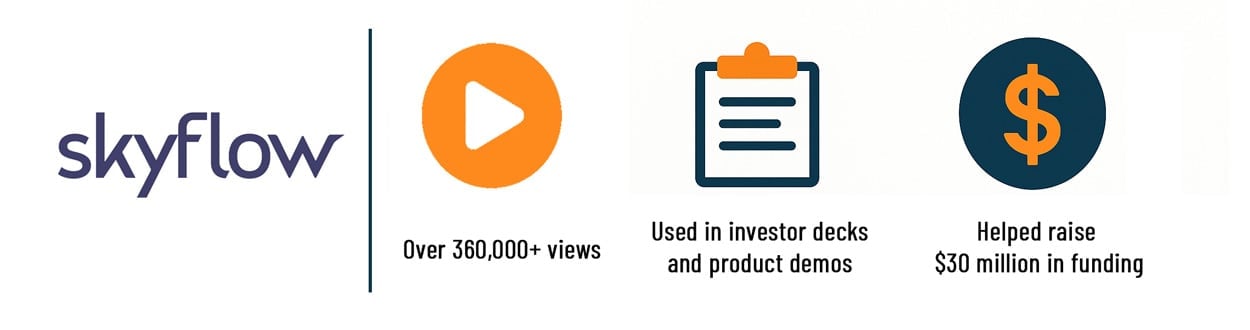
This clarity paid off: Skyflow’s explainer video helped them raise $30 million in a Series B funding round in 2024. Even three years later, the company still uses the same video, which has garnered over 360,000 views as it continues to tell their story. Skyflow’s case proves how a well-crafted SaaS video can successfully support fundraising and remain relevant over time.
GitHub’s explainer video succeeds by making a technical platform feel universally relevant. Using a clean and simple animation style, the video spotlights GitHub’s essential benefits and features in a way that anyone can understand.
It builds an instant connection with viewers through relatable examples. The point is that every company can now be considered a software company. Unlike many SaaS videos that focus narrowly on features, GitHub’s marketing video highlights the platform’s wide appeal.
It shows how developers, students, and even large organizations all collaborate on GitHub, underpinning projects that range from basic algorithms to ambitious space missions. This broad appeal is ingenious: the viewer is left with the impression that GitHub is a foundational tool for innovation everywhere. The storytelling is inspiring and inclusive. This video is one of the most viewed YouTube videos for a SaaS product.
GitHub is often seen as developer-centric. The video widens the audience by showing that GitHub is for everyone building something, which reinforces its brand as a global platform for creation and problem-solving.
Where it falls short: At over two and a half minutes, it asks a lot of a first-time viewer. Its broad message suits brand awareness more than a sign-up page.
Dr. Bill’s explainer video addresses one of the biggest pain points in the healthcare industry: the tedious and error-prone process of medical billing. The video begins by illustrating a typical day in a busy medical practice, showing overwhelmed doctors and office administrators dealing with piles of paperwork and complex billing codes.
It then introduces Dr. Bill as an intuitive SaaS platform designed to automate and simplify the entire billing process. Through clean, modern animation and relatable storytelling, the explainer shows how the software speeds up claims, reduces errors, and shortens reimbursement cycles.
The video emphasizes the tangible benefits for healthcare professionals: more time spent with patients, less stress managing paperwork, and a dramatic reduction in administrative tasks. It also highlights user-friendly features like real-time claim tracking and automated reminders. For clinics and practitioners looking to improve operational efficiency, the video makes a strong case for adopting Dr. Bill.
By focusing on both emotional appeal and clear functionality, the explainer builds trust in the platform and positions it as an indispensable tool for modern healthcare practices. This well-crafted approach makes Dr. Bill’s video a benchmark for SaaS solutions in the healthcare sector.
AlphaMap is described as the “Google Maps of commercial real estate,” and its explainer video lives up to that idea. Using a blend of friendly cartoon-style animation and modern motion graphics, Creamy Animation brought AlphaMap’s mapping platform to life on screen.
The video opens with the problem, how fragmented and tedious commercial real estate research can be. Then it shows how AlphaMap aggregates property data from all 50 states into one interface. Viewers see how real estate professionals can effortlessly access parcel information, ownership details, and market data to make informed investment decisions.
By visually comparing the old way versus the new, the video makes AlphaMap’s value immediately clear. It’s clear and informative, turning what could be a dry data product into a story about efficiency.
For anyone in real estate, this SaaS demo video shows how AlphaMap changes the way their industry works.

Webflow’s live action explainer video takes a creative approach: it asks us to imagine if everyday problems played out like frustrating web design issues. In a series of clever analogies, common daily tasks start “malfunctioning.” That mirrors how traditional web design tools can feel when elements won’t align or things mysteriously break.
This immediately hooks the viewer with humor and relatability. Webflow is then presented as the solution: a platform where those headaches disappear and your web design vision can finally come together.
Without getting into technical details, the live action video teaches potential customers Webflow’s core benefit: the power to build custom websites without code. It does so in a memorable way.
The tone is encouraging. By the end, even someone unfamiliar with web design understands that Webflow makes web creation easier and more intuitive.
It’s a standout example of how to highlight a product’s value by connecting with the viewer’s frustrations and then satisfying them with a solution.
Where it falls short: The joke carries the idea, but a viewer who has never built a website may not connect the analogy to the product.
Testbox’s explainer video tackles the complicated, time-consuming process of choosing new software for an organization. It begins with a familiar scenario: teams spending weeks researching, setting up free trials, and debating which tool to choose, all while losing valuable productivity.
The video then introduces Testbox as a platform that eliminates this inefficiency. Through well-designed motion graphics, it demonstrates how Testbox allows users to try multiple SaaS tools side by side in a fully configured sandbox environment, replicating real-world use cases.
This approach gives decision-makers hands-on experience with different products without the traditional barriers of setup or onboarding. The explainer highlights how this method reduces risk, accelerates evaluation, and improves confidence in selecting the right software solution.
By the end, the video leaves a clear impression: Testbox turns a painful selection process into a simple, informed one. It’s a strong example of how animation can make even a technical procurement platform interesting and easy to understand.
Adobe took an interesting approach with its Creative Cloud explainer: instead of focusing on one software, the video highlights the entire spectrum of creative tools available under Adobe’s SaaS offering.
Using vibrant visuals and whiteboard animation, it showcases a day-in-the-life of a creative professional whose needs range from graphic design to video editing to UX design. As the animation unfolds, we see how Adobe’s suite covers each of those needs under one subscription.
This video is great at conveying diversity and unity: the diversity of tools (Photoshop, Illustrator, Premiere, etc.) and the unity of them being in one cloud ecosystem. For the viewer, even if they aren’t a designer, it’s impressive to see how many problems Adobe Creative Cloud can solve in the creative process. The pacing is energetic, and the visuals reflect the creative spirit of the brand.
By the end, you understand that Adobe’s SaaS offering isn’t just software; it’s a creative toolbox that covers every imaginable aspect of bringing ideas to life. This inspires viewers (especially creative teams and businesses) to consider the value of that comprehensive toolkit.
Microsoft’s explainer video for the Office 365 suite proves that sometimes less is more. They didn’t rely on cartoon characters or over-the-top animations. Instead, the video zeroes in on the actual user interface and experience of using Office apps.
We see documents being edited in real time, data being shared, and presentations coming together. It’s all set to an upbeat music track that guides the flow. This straightforward approach brilliantly underscores the message: Office 365 makes you more productive, plain and simple.
The absence of fluff means the viewer isn’t distracted. They’re seeing the product do what it does best. The background music adds just the right emotional lift. The visuals feel inspiring instead of like a dry demo.
One effective touch is how the video paints a picture of the near future, where images and videos answer our questions (hinting at intelligent features within Office). It’s aspirational.
Overall, Microsoft’s video works because it uses clarity and focus to build excitement around everyday software. It shows that even without flashy characters, you can make one of the best explainer videos by highlighting real product benefits.
Discord’s explainer video captures what makes the platform special: the feeling of casual, human connection in an online community. The video begins by simplifying what Discord is: a unified place for group communication and collaboration.
It showcases features like servers (communities) and voice channels in a very approachable manner. To make it relatable, the video likens a Discord voice channel to friends hanging out on a couch and chatting. The analogy turns a tech concept into a familiar scenario. As it progresses, the video highlights versatility: how you can jump from a voice chat to video streaming or screen sharing effortlessly, as if you’re all in the same room working or playing together.
Humor runs throughout, from playful character interactions in the animation to dramatizations of a lively debate on a voice channel. This keeps the viewer engaged and smiling. By the end, the core message is clear: Discord isn’t just an app, it’s a place where your group can feel together even when apart.
For anyone unfamiliar with Discord, the video removes the mystery and replaces it with an understanding that it’s easy and fun to use. It’s an excellent SaaS explainer that informs and also conveys the culture and vibe of the platform, which is key to Discord’s brand.
Where it falls short: It was made for college communities, so business teams have to translate the examples to their own setting. It also runs close to two and a half minutes.
SoFi’s explainer video tackles credit card debt, a topic many young adults find stressful. It does so with empathy and clarity.
The video opens with a nod to millennial life and the financial challenges that often come with it. It dispels some common misconceptions (perhaps the idea that all millennials are careless with money) and then moves to the heart of the matter: debt is tough, and traditional solutions haven’t made it easier.
This sets the stage perfectly for introducing SoFi. The explainer shows SoFi as a way out: refinancing high-interest debt into something manageable, with a plan to pay it off. The narrative is straightforward and hopeful. Through simple graphics (like balances going down over time) and a friendly voiceover, it explains how SoFi’s tools and services can simplify complex financial situations.
What makes this video work is the tone. It encourages instead of lecturing. It acknowledges the audience’s struggles and then positions SoFi as an ally that’s here to help.
By the end, viewers likely feel a sense of relief and optimism that with the right help, they can gain control of their finances. It’s an excellent example of a SaaS (or in this case, fintech) video that connects on a personal level and builds trust through understanding.
Where it falls short: At 30 seconds, it is closer to an ad than an explainer. It names the problem but leaves little time to show how the product works.
Grammarly’s explainer video is a love letter to the writing process. It starts by directly addressing the viewer (perhaps a student or a professional) with a scenario everyone knows: needing to write something important, like an email or essay.
The video then demonstrates how Grammarly becomes your always-available writing companion, helping to ensure your thoughts are communicated clearly and flawlessly. It’s a great approach. Instead of just saying “it checks grammar,” the video shows various contexts (an email, a report, a social post) where Grammarly gently assists.
The visuals are lively and creative, turning sentences and words into animations that morph as corrections are made. This keeps things interesting for the viewer. The tone is positive and encouraging. You get the sense that Grammarly is there to support your creativity and leave the creating to you.
One line frames it perfectly: it portrays Grammarly as the friend who helps your ideas shine by polishing the words. For anyone who’s ever felt nervous hitting “send” on an important message, this video hits home. It’s friendly, reassuring, and clearly communicates Grammarly’s value.
By the end, viewers are likely thinking, “I could use that.” That’s exactly what a top-tier SaaS explainer should accomplish.
Where it falls short: It was published in 2020, before Grammarly added its AI writing features, so it no longer shows the whole product.
Typeform’s video is all about turning something ordinary (forms and surveys) into something more human. It starts by introducing a world where interactions feel personal even when they’re online forms.
The video creatively depicts the transformation of a dull, static form into a friendly, conversational experience. For instance, instead of a clunky survey with endless fields, we see a clean, one-question-at-a-time interface that feels like a dialogue. This visual storytelling reinforces Typeform’s core idea: by making forms more people-friendly, you get better responses and build a connection.
The explainer highlights features like quizzes and even asynchronous video responses. It shows how these tools turn digital interactions into genuine human connections. One striking element is the use of animation to personify the form itself, with questions popping up as if they’re talking to you.
It’s memorable and effectively drives home the benefit of using Typeform (higher engagement and completion rates). For anyone who has been bored or annoyed by a form, this video is a breath of fresh air. It positions Typeform not just as a software tool, but as a philosophy: treat people kindly online, and they’ll happily respond.
That’s a powerful message, delivered in a concise and visually appealing way.
The Me Company explainer video introduces viewers to an innovative SaaS platform designed to help small businesses manage operations with confidence. It begins by painting a vivid picture of the struggles entrepreneurs face when trying to juggle finances, customer relationships, and growth strategies all at once.
Through a narrative-driven approach, the animation illustrates how Me Company consolidates these critical tasks into one user-friendly platform. The explainer focuses on time savings, simplicity, and clarity. Those are three things busy founders value most.
The animation style reflects the company’s modern, approachable tone, making complex business management tools appear less intimidating.
Key features such as automated invoicing, performance dashboards, and integrated communication tools are presented clearly, showing exactly how they fit into a founder’s daily workflow.
By the end of the video, viewers see the shift from chaos to control. They understand how Me Company frees entrepreneurs to focus on growing their vision instead of getting stuck in daily operations. This video works as both an introduction to the platform and a motivating story for anyone looking to simplify their business journey.
Hootsuite’s explainer video pulls you in by describing a scene that’s all too familiar: the social media frenzy. People are glued to their phones, influencers are everywhere, and trends change overnight. Businesses feel like outsiders trying to crash the party.
This narrative instantly frames the problem: how can a business possibly keep up and be heard in this noisy social world? The video then introduces Hootsuite as the ultimate invitation to the party.
Through fun visuals, it shows how Hootsuite helps organizations step confidently into the social media scene. Scheduling posts, replying to followers, and tracking trends are all shown as ways to level the playing field for a business among individual content creators.
The storytelling is almost whimsical, likening social media to a giant digital soiree. This makes the explainer memorable and even entertaining. Yet, it very clearly communicates Hootsuite’s value: it simplifies and centralizes social media management so businesses can truly participate and succeed.
By the end, the viewer is left thinking that with Hootsuite, managing social media could actually be fun (or at least far less daunting). It’s a standout SaaS video example for any platform that helps users in a seemingly overwhelming environment.
Where it falls short: It was published in 2018. The social media problem it frames still applies, but check the platform details against the product today.
This entry from Google is selling an idea and the Google ethos more than a single product. The video feels more like an inspiring short film than a typical SaaS explainer. It presents a news-style montage of individuals and organizations tackling big global and community challenges.
Through quick cuts and a narrative voice, we see problems introduced: climate issues, social barriers, health crises. Then we see how people are innovating to solve them, often with the help of technology. The unspoken hero is Google’s ecosystem (tools like Google Workspace, Cloud, etc., that likely power these projects), but the video smartly keeps the focus on the human stories.
The emotional hook is strong: it imagines starting your day with optimism and hope, seeing stories not of problems but of solutions. By emphasizing these solution stories, the video indirectly highlights Google’s role in enabling positive outcomes without needing to explicitly showcase products.
It’s worth watching because it inspires the audience. It makes you associate Google with progress, innovation, and goodness. As a SaaS or tech brand video, this approach builds a lot of goodwill. It reminds viewers that technology is about people and the amazing things they can achieve. In terms of marketing, it’s a subtle yet powerful way to strengthen brand loyalty and show the purpose behind the platform.
Where it falls short: It promotes a consumer feature, not a SaaS product. It shows how to build an emotional story, but a B2B video needs a much clearer product moment.
Claimwell’s explainer video highlights a platform designed to simplify the insurance claims process for healthcare providers. The video begins with a depiction of time-consuming and error-prone claims management.
It then demonstrates how Claimwell automates the process, minimizes denials, and accelerates approvals. Using a clean and straightforward animation style, the video explains key features like claim tracking, reporting, and compliance management.
For healthcare professionals who want a simpler revenue cycle, the explainer gives a clear view of how Claimwell reduces workload and improves reimbursement. That helps medical practices spend more time on patient care and less on administrative headaches.
Pipedrive’s B2B SaaS product video hooks viewers from the first line: “Pipedrive is not just any CRM; it was designed by salespeople, for salespeople.” That immediately sets Pipedrive apart and establishes credibility. Who better to make a sales tool than experienced sales pros?
The video uses this angle masterfully. It starts by acknowledging that sales teams have unique needs and challenges, and then it positions Pipedrive as a CRM that truly understands and caters to those needs.
The explainer highlights Pipedrive’s clean interface and how easy it is to track leads, pipeline stages, and follow-ups. One effective moment shows how Pipedrive keeps teams organized and focused regardless of location. The implication is that remote and distributed teams thrive with it. The narration builds to a mini pay-off: the result?
More efficiency and more sales. This gives a sense of cause and effect that is very persuasive. Another strength of the video is how it balances feature highlights with benefits: we see features (like visual pipelines and drag-and-drop deals), but the voiceover emphasizes outcomes (like staying aligned on goals and closing more deals).
It’s a concise, credibility-driven piece that would make any sales professional at least curious to try the tool. In the crowded CRM market, Pipedrive’s explainer stands out by speaking the salesperson’s language.
Where it falls short: The “built by salespeople” hook is strong, but the video is from 2019. Borrow the opening line, and look at newer material for the current interface.
Twilio’s motion graphics video captures the essence of modern communication APIs and the value they bring to businesses across multiple industries. The video starts with a simple, relatable scenario: businesses struggling to stay connected with customers across different channels.
Through lively animation and smooth transitions, the explainer introduces Twilio as a platform that lets organizations build customized communication solutions. It highlights features like SMS, voice, chat, video, and email integrations that companies can tailor to create exceptional customer experiences.
What makes this video stand out is its ability to simplify a developer-focused tool for a wide business audience, making it clear that Twilio provides the building blocks for personalized communication.
The design uses vibrant motion graphics to showcase flexibility, scalability, and ease of integration. By the end, the viewer understands how Twilio changes customer engagement through smooth, multichannel communication workflows. That drives customer satisfaction and retention.
Empowered Startups’ explainer video focuses on the resources and mentorship programs it offers to help aspiring entrepreneurs succeed.
Through a narrative-driven story, the video walks viewers through the journey of taking an idea from concept to a thriving business with the support of Empowered Startups. It explains how the program connects founders with funding, expertise, and networking opportunities, all while simplifying the complexities of building a company.
The animation style is friendly and motivational, inspiring viewers to take the next step in their entrepreneurial journey.
This video is a powerful example of how storytelling can make abstract concepts like mentorship and startup incubation feel accessible and exciting.
Elastic’s explainer video focuses on the company’s ability to help organizations make sense of vast amounts of data in real time. Through smart use of SaaS motion graphics, the video demonstrates how Elastic enables businesses to search, observe, and secure data across multiple systems.
It visualizes data pipelines and dashboards in a way that makes a complex technical solution accessible and appealing to both technical and non-technical audiences.
The story progresses by highlighting common business challenges, like siloed data and slow insights, then showing how Elastic brings speed, transparency, and actionable intelligence to the table.
The video uses clean, minimalistic animations and icons to convey the product’s power while keeping the message concise. This explainer successfully positions Elastic as a vital partner for companies looking to gain clarity from their data.
SAP’s motion graphics explainer takes a fresh approach to presenting enterprise software solutions. It opens with scenes of companies managing massive operations and struggling to align processes across departments.
The animation uses clean lines and a professional design style to illustrate how SAP integrates business functions like finance, HR, logistics, and analytics into a unified platform.
The video highlights the scalability and adaptability of SAP’s ecosystem, focusing on how these solutions enable companies to make data-driven decisions, improve efficiency, and innovate at scale.
By distilling complex enterprise processes into a clear and relatable story, the video makes a strong case for how SAP supports digital transformation and operational excellence.
Spline’s explainer video shows how its 3D design tool lets creative professionals build interactive 3D designs directly in their browser.
The video opens with familiar creative struggles, like slow workflows and overly technical 3D tools. Then it introduces Spline as a simple, intuitive alternative.
Using playful motion graphics, it walks through how users can create, edit, and share 3D scenes in real time without the steep learning curve.
This video works because it highlights the accessibility and collaboration benefits of Spline. It positions the tool as a big step forward for designers who want to bring 3D content to life quickly. The visuals effectively capture the product’s creativity and energy.
Usherpa’s explainer video focuses on simplifying client relationship management for mortgage and real estate professionals. It begins with a scenario showing how challenging it is to track leads, manage customer communication, and stay on top of follow-ups. Then it shows how Usherpa brings all these tasks into one easy-to-use platform, enabling professionals to save time and increase their sales efficiency. The video emphasizes the benefits of automated marketing, intelligent CRM tools, and detailed analytics. Its animation shows how Usherpa helps professionals build stronger relationships and close more deals. This explainer is a strong marketing tool for the real estate and mortgage sector, turning a complex sales process into a clear, simple workflow.
Minima’s explainer video focuses on the unique value of their blockchain protocol, which enables decentralized and scalable applications.
The animation illustrates how Minima differs from traditional blockchain solutions by highlighting its lightweight architecture and focus on decentralization. It begins by describing the issues with conventional blockchains: inefficiency, lack of scalability, and central points of control. Then it presents Minima as the solution.
Through clean, technical visuals, the video explains how Minima creates a peer-to-peer network that is efficient and secure while putting users fully in control.
It’s an excellent example of how motion graphics can take an advanced technical concept and communicate it in an accessible way for developers, enterprises, and blockchain enthusiasts alike.
Use the real interface when viewers need to recognize an actual control or follow an exact action. Simplified interface animation can help describe a workflow without forcing people to read every label. The choice depends on the software user’s job.
I flag any simplified screen that could be mistaken for a literal tutorial. Keep instructional captures aligned with the current product. A conceptual homepage video can often remain accurate longer if its message does not depend on temporary interface details.
Start the storyboard with the software task the user needs to complete. If a viewer must find a button, recognition matters. If the software user only needs to understand how work moves between people, a simplified relationship may be clearer. Keep the reason for each interface view explicit.
I also separate stable product logic from temporary presentation details. That helps the team identify which part of the video will need attention after a redesign. The goal is a video that stays accurate. A visually familiar screen helps with recognition only while it still represents the action the user needs to perform.
A homepage visitor is deciding whether the software deserves more attention. An onboarding viewer has a task to complete. Give each person an appropriate opening and ending.
Slack and Asana introduce product purpose before a user begins an account task. A task lesson needs the account context and actions that a homepage introduction can leave for later. Avoid asking an introduction to function as a full lesson. Avoid slowing a lesson with a long product pitch.
The call to action should reflect this difference. A homepage video may lead to a product tour or another evaluation step. An onboarding lesson should lead to the next task in the user’s workflow. Avoid ending both versions with the same generic invitation.
Support content needs a clear title too. Name the task the software user can complete rather than using only the feature’s internal name. That makes a lesson easier to locate again. When users can find the relevant video at the point of need, the video has a more practical role than a general introduction stored elsewhere.
The runtime comparison also helps separate these jobs. Asana’s 47-second introduction covers a compact product promise. Calendly’s 2:23 overview broadens an existing understanding of scheduling. Neither duration determines how long a task lesson needs to be. The account action provides that boundary. A homepage visitor can decide to investigate further after a broad introduction. A user following a lesson needs to recognize when the selected task is complete.
Decide whether the product is unfamiliar or merely understood too narrowly. Asana gives a compact introduction. Calendly expands an existing picture of scheduling. Those goals call for different selections of capabilities.
Separate a teacher-like account of a task from a homepage product story. For account-level lessons, check what the user can already access and what must be completed before the first instruction makes sense.
Open with the problem the buyer already has. Augmentt names shadow IT before it introduces its platform. Check that your script names the problem before it lists features.
Related reading: explainer videos guide.
Mark interface details likely to change in the next release. Keep a conceptual sequence distinct from exact button-level directions so the team knows which production elements need replacement after a redesign.
Related reading: explainer video cost.
Place a broad overview on the evaluation path and a task lesson beside the relevant account action. Track recurring questions separately. Confusion about the product’s purpose needs a different revision from trouble completing a workflow.
Related reading: SaaS explainer video production guide and SaaS video tools.
Show the real interface when the software user must recognize controls or complete an action. For a conceptual introduction, simplified visuals may communicate the sequence more clearly. Make the distinction explicit so a stylized video is not mistaken for exact operating instructions.
Review the video when the product’s workflow, positioning or important interface details change. Assign ownership for that review. Update an instructional video when its directions become inaccurate even if the broader message still sounds relevant.
Choose the runtime after defining the homepage question. Remove secondary features before trying to squeeze a crowded script into a shorter delivery.
Usually it should cover the features needed to understand one promise or workflow. A complete catalogue can make the opening video harder to follow. Give deeper questions their own demonstration or help content.
Use them on the home page, on product pages, in sales follow-ups and inside the app. Each place needs its own length and level of detail.
Start with the problem they share. Augmentt names shadow IT, then shows how its platform finds, optimizes and manages SaaS use.
Animation works for the product story and the problem. Screen recordings work for onboarding and tutorials, where the user needs to see the real interface.
Usually not. Prices change, and the video will stay online longer than one pricing plan. Point viewers to the pricing page instead.
Make the software understandable at the moment someone encounters it. A focused introduction earns the next question. A focused onboarding video helps the user take the next action.

Larry is the founder and Chief Storyteller at Creamy Animation, founded in 2009. He leads a team that creates story-driven videos for businesses and nonprofits. 15+ years in video strategy and production, specializing in SaaS, B2B, and nonprofit storytelling. A marketer, designer, and animator, Larry has overseen the production of more than 1,500 videos for Fujitsu, Logitech, Warner Brothers, NFL, Blockdaemon, Astronomer, Canonical, and 370+ others.
For Larry, God is first, and everything else is a blessing that comes from serving Him. When he’s not working, he’s hanging out with his wife and three kids, playing the piano, or pursuing his filmmaking side hustle.